

Master AI Image Prompting: Complete Beginner to Expert Guide
Whether you’re generating your first image with ChatGPT or refining outputs across multiple platforms, the quality of your prompts directly determines the quality of your results. This guide walks you through the complete spectrum of AI image prompting—from foundational principles to expert-level techniques—so you can create stunning visuals consistently.
Understanding the Fundamentals
AI image generators work best with clear, structured prompts that guide the model systematically through your vision. The most effective approach follows a simple three-part framework: subject, description, and style. Think of your prompt as a conversation with the AI—the more specific and descriptive you are, the better the model understands your intent.
Start by asking yourself critical questions: What is the main focus? What colors, mood, and environment surround it? What artistic style do you envision? These answers form the backbone of an effective prompt structure.
The Core Prompt Structure
Subject: Your Starting Point
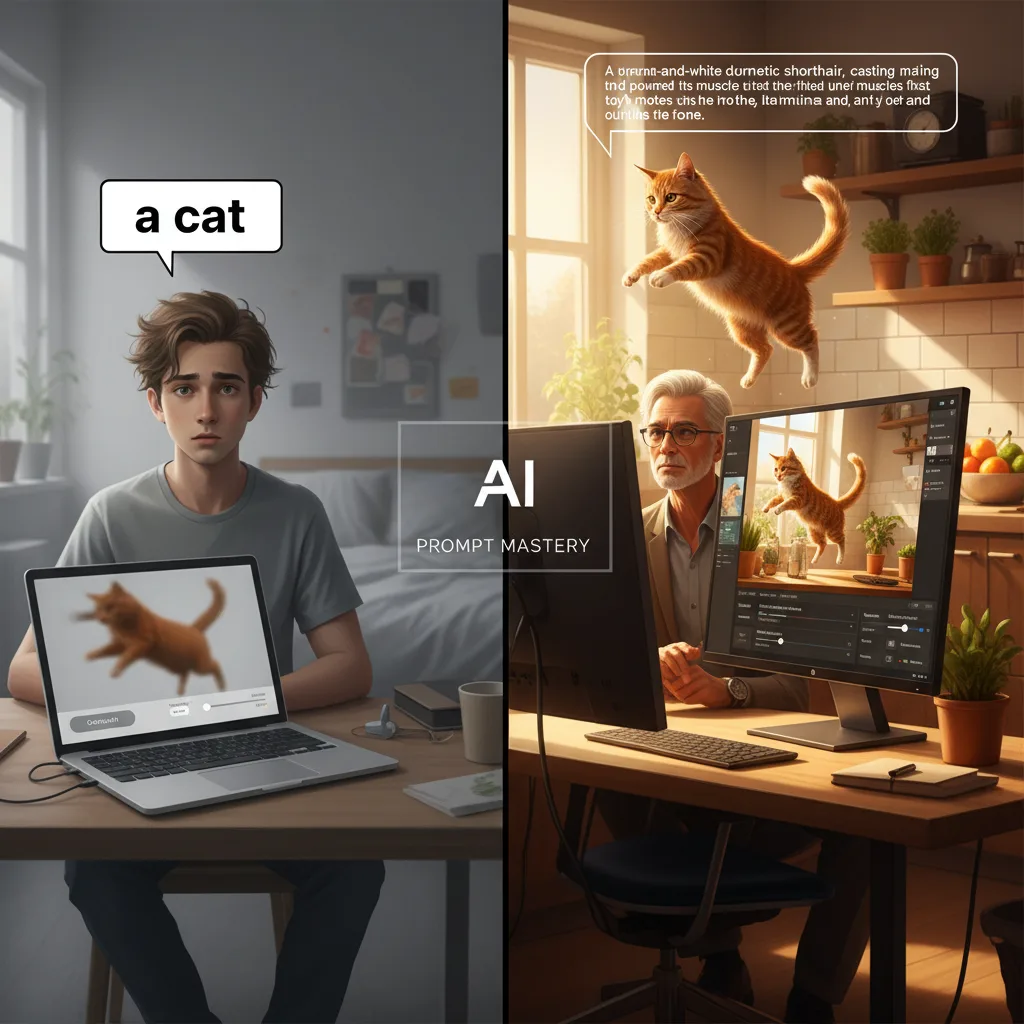
Begin with a clear, detailed description of what you want to generate. Rather than writing “a cat,” specify: “a ginger-and-white striped cat looking excited as it chases a mouse around a kitchen”. The difference between vague and specific prompts is dramatic—specificity eliminates ambiguity and guides the AI toward your exact vision.
Description: Adding Context and Detail
Context transforms generic outputs into compelling images. Include background information, environmental details, and spatial relationships. For example, instead of “a person in a landscape,” write “a tiny person standing in a vast desert landscape at sunset with sand dunes stretching to the horizon”. This approach shows scale, proportion, and emotional context simultaneously.
Style: Defining the Aesthetic
Specify the artistic or photographic style you want. Options include:
- Photography styles: “a photo of…”, “cinematic photograph”, “professional portrait”
- Artistic movements: impressionism, cubism, pop art, surrealism
- Specific techniques: pointillism, watercolor, oil painting, pencil sketch
- Artist references: “in the style of Studio Ghibli” or “inspired by Ansel Adams”
Advanced Compositional Elements
Camera Angles and Perspective
Control how viewers experience your image by specifying camera positioning:
- Eye-level shot: Creates connection and relatability—use for portraits
- Low angle (worm’s eye view): Makes subjects appear powerful or imposing; perfect for architecture
- High angle (bird’s eye view): Shows vulnerability or geographic context
- Extreme close-up: Creates intimacy and reveals texture details
- Wide shot: Establishes environment and scale
Lighting and Mood
Lighting dramatically affects emotional impact:
- Color temperature: Cool blues convey melancholy; warm oranges suggest comfort
- Backlight: Creates mystery and silhouettes
- Front light: Provides clarity and directness
- Motion blur: Implies movement and energy
- Depth of field: Blur background to focus attention on your subject
Scale and Proportion
Use scale relationships to enhance storytelling:
- Tiny person in vast landscape: suggests insignificance or adventure
- Extreme close-up on texture: creates intimacy
- Forced perspective tricks: transforms ordinary scenes into extraordinary ones
Platform-Specific Strategies
ChatGPT and GPT-4o Image Generation
These models excel at understanding natural language and spatial relationships. Rather than keyword-heavy prompts, use narrative, descriptive paragraphs. ChatGPT’s strength lies in coherent scene interpretation and text-within-images generation.
Effective approach: Write a clear paragraph describing your vision, then iterate with follow-ups like “Make the sofa navy” or “Zoom out 20%”. Upload reference images and explicitly state what to preserve versus change.
Pricing: Access through paid ChatGPT plans rather than a clean public per-image GPT-4o rate card.
Midjourney
Midjourney responds well to descriptive language combined with specific parameters. The platform supports detailed stylistic direction and excels at artistic interpretations.
Subscription tiers:
- Basic: $10/month (~200 images/month)
- Standard: $30/month (~900 images/month) — Best value for most creators
- Pro: $60/month (~1,800 images/month)
- Mega: $120/month (~3,600 images/month)
Annual plans offer 20% discount across all tiers.
DALL-E 3
DALL-E 3 now functions mostly as a legacy reference point inside OpenAI’s broader image stack. The last public DALL-E 3 API rate card still starts at $0.04 for a standard 1024×1024 image, with larger or HD outputs priced higher.
Best practices: Use clear, descriptive sentences rather than disconnected keywords. DALL-E 3 understands natural language deeply, making narrative prompts highly effective.
Stable Diffusion
Stable Diffusion remains the most flexible low-cost path when you self-host or work through open-weight tooling. Public hosted pricing is no longer best described as a simple flat per-image table, so budget around your actual provider and workload rather than outdated credit math.
Platforms: DreamStudio and various web interfaces provide easy access without coding knowledge.
Advanced Prompting Techniques
Iterative Refinement
Generative AI is inherently iterative. Start with a simple prompt, generate multiple outputs, select your favorite, then refine by adding modifiers. Gradually increase detail until you achieve your desired result. This approach prevents over-specification that can produce stiff or unnatural outputs.
Negative Prompting
Specify what you don’t want in your image. Negative prompts remove common AI-generated artifacts. For example: “no distorted hands, no blurry text, no artificial lighting” guides the model away from frequent weaknesses.
Reference Images and Multi-Image Workflows
Modern platforms support image-to-image generation. Upload reference images and explicitly state what aspects to preserve and what to transform. This technique maintains consistency across series while enabling targeted modifications.
For storyboards or character consistency, request “a series” of images with specific counts. This ensures stylistic coherence across multiple outputs.
Few-Shot and Chain-of-Thought Approaches
Provide example outputs or step-by-step reasoning to guide complex generations. If you want a specific visual style, show the model similar images first. For complex scenes, break descriptions into sequential elements rather than one overwhelming paragraph.
Common Pitfalls and Solutions
| Problem | Solution |
|---|---|
| Generic, uninspired outputs | Add specific adjectives, lighting details, and emotional context |
| Anatomically incorrect subjects | Use reference images; specify body positioning explicitly |
| Inconsistent character appearance | Upload reference images; use “consistency mode” or “remix” features |
| Unwanted AI artifacts | Use negative prompts; specify photorealism or artistic style clearly |
| Overly complex scenes | Break into separate elements; use iterative refinement |
| Poor composition | Specify camera angle, framing, and subject placement explicitly |
Pro Tips for Consistent Excellence
Describe, don’t list: Narrative paragraphs consistently outperform keyword lists. Instead of “sunset, mountains, golden hour, cinematic,” write: “A golden-hour sunset bathes snow-capped mountains in warm amber light, creating dramatic shadows across the valleys below.”
Use concrete nouns: Replace vague terms with specific references. Instead of “nice lighting,” specify “soft window light” or “harsh studio lighting”.
Leverage platform strengths: ChatGPT excels at spatial reasoning; Midjourney at artistic interpretation; DALL-E 3 at text-in-images. Match your prompt style to platform capabilities.
Test systematically: Generate the same prompt across different platforms to understand how each interprets your vision. This knowledge informs future refinements.
Embrace iteration: Professional-quality images rarely emerge from first attempts. Budget time for 3-5 refinement cycles to reach your vision.
Pricing Comparison at a Glance
| Platform | Entry Price | Best For |
|---|---|---|
| ChatGPT / OpenAI image stack | Subscription or token-priced API access | Natural language understanding, text in images |
| Midjourney Standard | $30/month | Artistic style, creative interpretations |
| Stable Diffusion | Self-hosted or credit-based hosted pricing | Budget-conscious users, API developers |
| Gemini 2.5 Flash | Token-priced on Vertex AI | Google ecosystem integration |
Key Takeaways
Mastering AI image prompting is a learnable skill that compounds with practice. Start with the three-part structure (subject, description, style), then layer in compositional elements like lighting, camera angle, and scale. Understand your platform’s strengths—each excels in different areas. Most importantly, embrace iteration; refine your prompts based on outputs until you achieve your vision.
The difference between mediocre and exceptional AI-generated images isn’t luck—it’s specificity, context, and willingness to experiment. Begin today with a simple prompt, observe the results, and systematically add detail until you reach your creative goals.
Continue Learning
- Visual Prompting: Midjourney Style Creator — Skip text prompts entirely
- Tool Reviews: Leonardo AI Review | Magnific AI Review
- Free Options: Best Free AI Image Generators 2025