


Pros
- ✓ Industry-leading upscaling quality with strong detail preservation
- ✓ Particularly effective on portraits and low-resolution originals
- ✓ Simple, focused UI that fits easily into professional photo workflows
- ✓ One of the most popular dedicated AI upscalers among photographers
Cons
- ✗ Heavier system requirements and slower processing on older hardware
- ✗ Paid software with extra cost for ongoing major updates or higher tiers
- ✗ More specialized than general AI editors, so limited beyond enhancement and upscaling
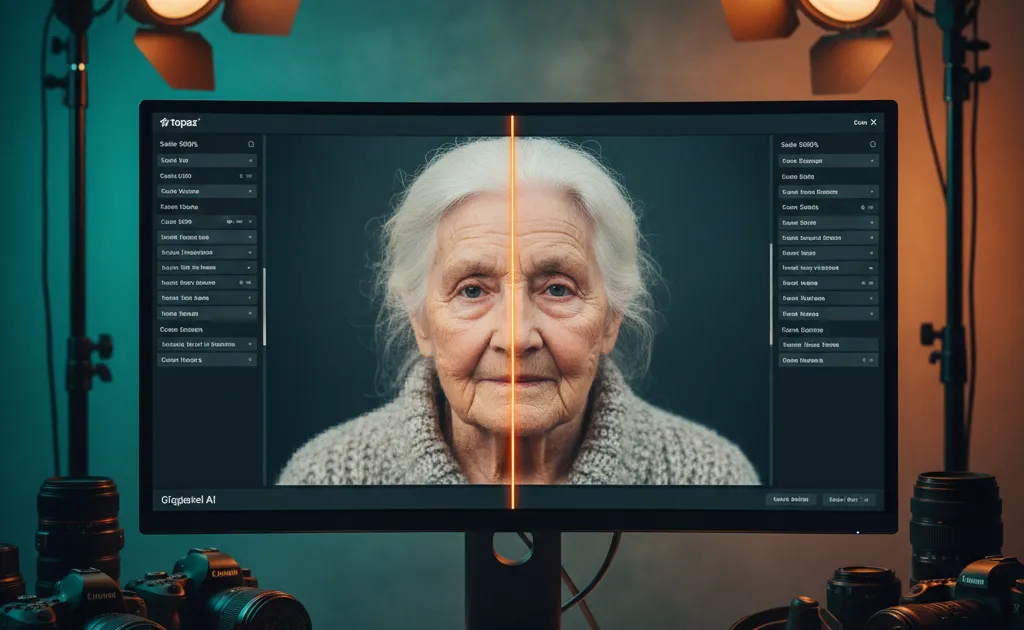
Topaz Gigapixel is a dedicated AI-powered image upscaling and enhancement tool that lets photographers and designers enlarge photos up to very high resolutions while preserving and even restoring fine detail. It stands out for its specialized AI models (including generative options and face recovery) that are tuned specifically for realistic, high-quality photo enlargement rather than general image generation.
Topaz Gigapixel has evolved from a specialized upscaling utility into an essential AI imaging powerhouse. With version 8 and its new generative capabilities, it promises to transform low-resolution images into print-ready masterpieces while adding the “right pixels” rather than just more pixels. After extensive testing and analysis, here’s our comprehensive assessment for photographers and creative professionals navigating the AI enhancement landscape in 2025.
What Makes Gigapixel Different
Traditional upscaling uses interpolation—essentially mathematical guessing—to fill in missing pixels. The results are predictable: soft edges, lost texture, and that telltale “stretched” appearance. Gigapixel’s AI models, trained on millions of images, take a fundamentally different approach. They analyze image content intelligently, recognizing patterns in hair, skin, architecture, and natural textures to synthesize new pixels that preserve or even enhance the original’s character.
The software’s philosophy is clear: don’t just add pixels, add the right pixels. This manifests in nine specialized AI tools designed for specific creative challenges, from wedding photography to fine art restoration.
Core Features That Matter
Generative AI Models (v8.1+)
The introduction of generative models marks Gigapixel’s most significant leap forward. These require substantial hardware but deliver transformative results:
Recover v2 excels with old, low-resolution photos (1MP or less). Optimized for speed over the original Recover model, it brings remarkable fidelity to scanned family photos or early digital camera images. The algorithm intelligently reconstructs detail that simply doesn’t exist in the source, making it invaluable for archival work and photo restoration services.
Redefine serves two distinct purposes:
- Redefine Realistic subtly enhances low-quality or AI-generated images while preserving natural appearance
- Redefine Creative offers Low, Medium, High, and Max settings for dramatic reinterpretation, guided by text prompts
The creative mode is particularly powerful for AI art workflows. By describing desired details—“a city at night with falling leaves” versus directive commands—the model adds atmospheric elements and texture that elevate Midjourney or DALL-E 3 outputs from impressive to professional.
Face Recovery: A Game-Changer for Portraits
Low-resolution portraits have always been the achilles heel of upscaling. Gigapixel’s Face Recovery tool isolates facial features and reconstructs them with startling accuracy. Eyes regain clarity, skin textures smooth naturally, and hair detail emerges from what was previously a pixelated blur. For publishing companies chasing contributors for high-resolution replacements, this feature alone can salvage previously unusable images.
Pre-Downscaling for “False Resolution”
Version 8.4 introduced an ingenious solution for images that have been poorly upscaled or suffer from “false resolution”—where pixel dimensions increased without meaningful detail. The pre-downscaling option intelligently resamples large images to concentrate information density before AI enhancement, producing natural results from compromised sources.
Scaling Flexibility and Batch Processing
Gigapixel offers precise control over output dimensions:
- Preset multipliers: 2x, 4x, 6x
- Custom pixel, inch, or centimeter values
- Batch processing for entire shoots
The batch workflow is straightforward: import multiple images, apply consistent settings, and process sequentially while maintaining individual enhancement parameters. This saves hours for wedding photographers or studios preparing gallery prints.
Interface and Workflow
The redesigned Gigapixel 8 interface prioritizes comparison and evaluation. Three preview modes dominate the experience:
- Single View: Toggle between original and enhanced with spacebar
- Split View: Drag a vertical slider to wipe between before/after
- Side-by-Side: Direct comparison for critical assessment
The Enhancement Panel organizes filters logically, with Auto Mode (lightning bolt icon) recommending optimal models and settings based on image analysis. For users overwhelmed by choices, this intelligent assistance delivers reliable results without deep technical knowledge.
Performance and System Requirements
Here’s where prospective buyers need to pay attention. Gigapixel runs locally for most operations, but generative models demand serious hardware:
For Recover and Redefine models:
- Windows: Dedicated graphics with 8GB+ VRAM, 24GB+ system RAM for ARM systems
- Mac: macOS 14+, Apple Silicon with 16GB+ RAM (Intel Macs limited to Recover v1 with AMD Radeon 8GB+ VRAM)
- Not supported: Integrated graphics
For systems below these specs, unlimited cloud rendering is included with subscriptions starting at $12/month. Cloud processing currently supports outputs up to 256MP—a 4000×6000 pixel image equals 24MP, so most print workflows are covered.
Standard upscaling models are less demanding and run efficiently on modern machines, with GPU acceleration providing noticeable speed improvements over CPU-only processing.
Real-World Applications
Print Production
Achieving 300 DPI for large-format prints requires massive pixel counts. Gigapixel’s 6x upscaling transforms a 12MP camera file into a 72MP image suitable for 30×40 inch gallery prints without interpolation artifacts. (Results vary based on selected scaling factor.)
AI Art Enhancement
Stable Diffusion outputs often need resolution boosts for commercial use. Gigapixel adds clean detail to AI-generated textures, smoothing compression artifacts and sharpening edges while respecting the original aesthetic. For creators working with multiple AI tools, our AI Image Upscaling Guide provides comprehensive strategies for enhancing generated artwork.
Photo Restoration
Scanning vintage photographs at high resolution isn’t always possible. Recover v2 breathes new life into 1MP sources, reconstructing faded details and reducing noise simultaneously.
Wildlife and Event Photography
When you can’t get closer physically, digital zoom saves shots—but at resolution cost. Gigapixel reconstructs feather detail in bird photography and recovers facial expressions from distant event captures.
Pricing and Value Proposition
Topaz offers subscription plans starting at $12/month, which include unlimited cloud rendering—ideal for occasional users or those with underpowered hardware. For professionals with capable workstations, the subscription provides continuous updates and cloud processing when needed.
The enterprise adoption by Netflix, Nike, NASA, and Disney suggests the ROI is clear for production environments. For independent photographers, the math depends on volume: if you regularly produce large prints or restore client photos, the time saved and quality gained justify the investment.
Limitations to Consider
No tool is perfect. Gigapixel’s generative models won’t run on integrated graphics, limiting laptop users. The subscription model, while reasonable for professionals, may deter hobbyists. And as of version 7.0.4 (released April 2025), DNG export is discontinued—RAW files save as TIFF by default, adding a conversion step to some workflows.
The creative Redefine model also disables Face Recovery to maintain coherence, so you must choose between facial reconstruction and artistic reinterpretation.
Final Verdict
Topaz Gigapixel has earned its position as the industry benchmark for AI upscaling. The generative models in v8.1+ push beyond simple enlargement into genuine image enhancement and restoration territory. While hardware demands and pricing place it firmly in the professional category, the results speak for themselves—crisper prints, salvaged memories, and elevated AI artwork.
For photographers and designers whose reputation depends on pixel-perfect output, Gigapixel isn’t just a convenience; it’s a competitive advantage. The combination of intelligent AI, flexible workflow options, and enterprise-grade reliability makes it the definitive upscaling solution for serious creatives in 2025. For those comparing upscaling options, our Magnific AI vs Competitors guide provides detailed comparisons with other leading AI upscalers.
Whether you’re working with traditional photography or exploring the latest AI image generators, Topaz Gigapixel remains an essential tool for achieving professional-quality results at any resolution.