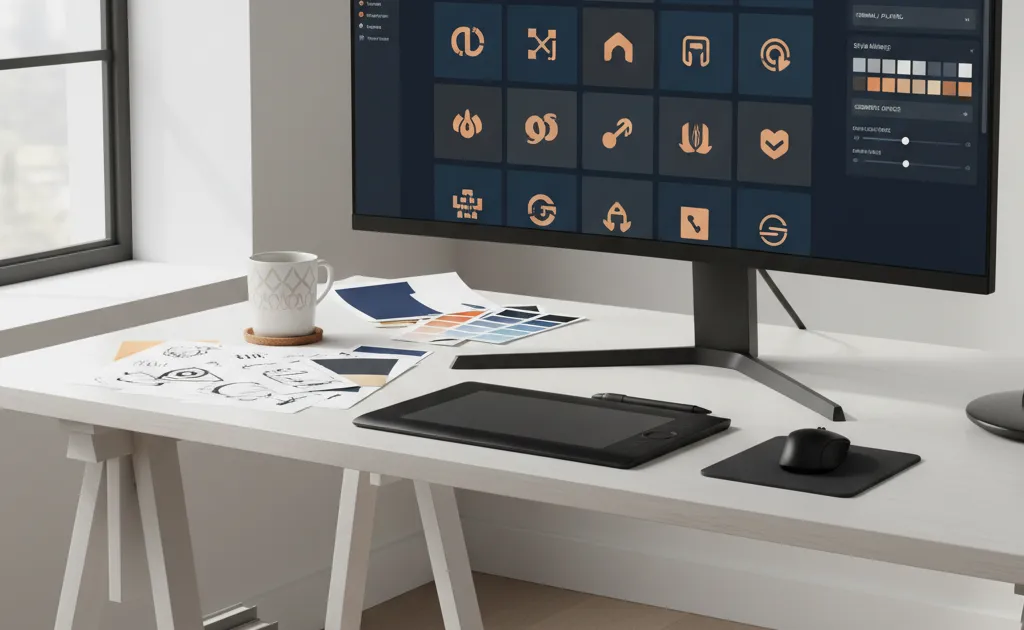






Recraft AI has emerged as a foundational platform for professional graphic designers, marketers, and visual artists seeking to harness artificial intelligence for brand-consistent design at scale. Unlike consumer-focused image generators, Recraft builds its own foundation models specifically trained to deliver production-ready vector graphics, precise style controls, and collaborative workflows that enterprise teams demand.
What Makes Recraft Different for Professional Design
The platform distinguishes itself through three core pillars: native vector generation, granular brand style control, and professional workflow integration. While most AI image generators excel at creating raster artwork for social media posts, Recraft generates infinitely scalable SVG files suitable for logos, icons, illustrations, and print materials. This technical foundation matters because vector graphics remain crisp whether scaled to favicon size or billboard proportions—something raster images cannot achieve.
Founder Anna Veronika Dorogush, previously head of machine learning at Yandex and creator of the CatBoost library, has positioned Recraft as a professional alternative to stock imagery and traditional design software. The platform has attracted over 300,000 users since launch, including major brands like Netflix, Ogilvy, Airbus, HubSpot, and Asana.
Core Capabilities: Vector Generation and Beyond
AI-Powered Vector Creation
Recraft’s text-to-vector generator transforms natural language prompts into editable SVG artwork. The process follows a simple four-step workflow: type a descriptive prompt, select or create a visual style, generate and iterate on the output, then export as SVG, PNG, JPG, or Lottie format. This flexibility allows designers to start from scratch or refine existing concepts without switching tools.
The vector generator excels at creating:
- Logo systems with consistent geometry
- Icon sets that maintain visual harmony
- Illustrations for editorial and marketing use
- Typography treatments and decorative elements
Intelligent Image Vectorization
For existing raster assets, Recraft’s one-click vectorizer converts PNG and JPG files into true vector graphics. The tool includes a color reduction slider to simplify complex images and prepare them for print workflows. Designers can edit colors using two modes: Swatches mode for replacing specific colors individually, or Spectrum mode for shifting entire color ranges—ideal for adjusting mood or aligning with brand palettes.
Important caveat: Not all images vectorize equally well. Photorealistic images, 3D renders, and heavily textured artwork will show artifacts because SVG format supports only specific shapes, lines, and textures. The tool works best with clean graphics, logos, and illustrations that have defined edges.
Comprehensive Editing Suite
Beyond generation, Recraft provides professional-grade editing tools:
- Background remover with recoloring and restyling options
- AI eraser for cleaning up unwanted elements
- Image upscaler for enhancing resolution
- AI image combiner for merging multiple visuals
- Frame expansion for extending artwork boundaries
- Recoloring tools with one-click palette application
Brand Style Consistency: The Killer Feature
Advanced Style Creation and Control
Recraft’s most compelling capability for agencies and brand teams is its style consistency system. The platform addresses a fundamental challenge in generative AI: maintaining visual identity across campaigns, channels, and team members.
The infinite style library serves as a visual playground where designers can browse ready-to-use styles spanning photorealistic to illustrative aesthetics. Search by keyword, filter by type, and preview full galleries before committing to a direction.
Style remixing allows combining up to five existing styles with custom reference images. Designers adjust weighting between visual sources using intuitive sliders, then test generations before saving. For granular control, add style-level prompts like “centered layout” or “transparent plastic” and choose between two models:
- Style essentials: Focuses on textures, lines, colors, and atmosphere
- Style and composition: Includes finer details like camera angle, composition, and content
Once perfected, style sharing distributes brand styles across teams, ensuring freelancers and in-house designers generate on-brand assets consistently. This eliminates the repetitive prompting and trial-and-error that plagues other AI tools.
Color Palette Management
Brand consistency extends to color systems. Recraft generates color palettes from reference images and locks them into style definitions. When creating vector graphics, these palettes constrain the AI to use only approved brand colors, preventing off-brand variations that require manual correction.
Professional Workflows and Collaboration
Team Features
Recraft supports real-time collaboration within shared workspaces, similar to Figma. Team members can:
- Co-edit projects simultaneously
- Share brand style libraries
- Maintain version history
- Export assets in multiple formats (SVG, PNG, JPG, Lottie)
- Set custom DPI and CMYK values for print production
The platform offers dedicated plans for teams with administrative controls, credit allocation, and centralized billing—addressing enterprise procurement requirements.
Model Flexibility
While Recraft V3 serves as the default foundation model, the platform integrates external models including Flux 2 Pro, Ideogram V3 Turbo, and Nano Banana Pro. This allows designers to select the best model for specific tasks without leaving the Recraft ecosystem.
Pricing and Accessibility
Recraft operates on a freemium model that genuinely supports professional exploration. Users receive up to 30 free image generations daily without requiring a credit card. Paid plans unlock higher generation limits, team features, and commercial usage rights.
For developers, Recraft provides API access and MCP (Model Context Protocol) integration, enabling custom workflows and third-party tool connections.
Practical Applications
Graphic Design
Create scalable logo systems, icon libraries, and brand illustrations that maintain consistency across digital and print applications. The vector output ensures compatibility with professional tools like Adobe Illustrator and Figma.
Print-on-Demand
Generate designs for merchandise, packaging, and promotional materials with confidence. Vector files scale perfectly for any product size, while brand style controls ensure catalog consistency.
Marketing Campaigns
Produce ad creatives, social media assets, and editorial illustrations that adhere to brand guidelines. Style sharing enables agencies to maintain visual coherence across client accounts and campaign phases.
Visual Identity Development
Explore brand directions quickly by generating multiple style variations, then lock the chosen direction into a reusable brand style. This accelerates the traditionally time-consuming identity design process.
Limitations and Considerations
Vector generation works best for graphic styles rather than photorealistic imagery. Designers should expect to refine AI outputs, particularly for complex compositions or nuanced brand expressions. The platform excels at accelerating production but doesn’t eliminate the need for creative direction and quality control.
While Recraft avoids training on user-uploaded style references, designers must still ensure they have rights to any source imagery used in style creation. The terms of service provide clear commercial usage rights for generated assets, but brand teams should review these against their own legal requirements.
The Competitive Landscape
Recraft occupies a unique position between consumer AI art tools and traditional design software. Unlike Midjourney or DALL-E 3, it prioritizes professional workflows and vector output. Compared to Adobe Firefly’s AI features, Recraft offers more powerful generative capabilities but less granular path-level editing.
Competitors like Kittl focus on merchandise design, while Canva emphasizes template-based creation. Recraft’s strength lies in foundational model development specifically for style-consistent graphic generation—a technically challenging problem that most competitors address through fine-tuning alone.
Final Verdict
Recraft AI delivers on its promise of professional-grade vector generation with unprecedented brand style control. For design teams struggling with AI inconsistency, the platform’s style sharing and remixing features solve a genuine workflow pain point. The free tier allows meaningful experimentation, while team features scale to enterprise needs.
The vector output quality rivals manually created assets for many use cases, dramatically accelerating icon set creation, logo exploration, and illustration production. However, designers should view Recraft as a powerful accelerator rather than a replacement for creative judgment and refinement.
For agencies, marketing departments, and product designers seeking to integrate AI into their brand workflows without sacrificing consistency, Recraft represents the most focused and capable solution currently available. The investment in foundational model development suggests the platform will continue evolving toward even more precise control and higher quality outputs.