Couple Romantic Portrait Google
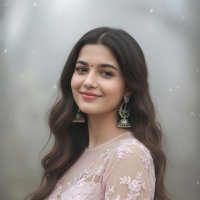 @ShreyaYadav___
 60 0
The Prompt
 💚 Couple Romantic Portrait 💚
Google Gemini ai Nano Banana 3.0

{
  "prompt_title": "Sage Green Editorial Couple Portrait",
  "style": "Ultra-realistic, Haute Couture, Fashion Editorial, Cinematic Lighting",
  "aspect_ratio": "3:4",
  "main_prompt": "A sophisticated, ultra-realistic full-body fashion editorial shot inside a luxury studio. CENTER SUBJECT: A stunning woman sitting gracefully on a modern, suede sage-colored ottoman. She has long dark brown hair styled in soft waves over one shoulder, resembling the uploaded female reference. She is wearing a voluminous, strapless haute-couture gown made of layers of premium tulle in soft sage green. The gown features structured ruffles and a flowing train. Her legs are crossed at the knees, long, gleaming, and smooth, wearing minimalist pointed-toe heels in shimmery sage/greige. She has a sweet smile, posing with hands resting on the stool. SECONDARY SUBJECT: Standing directly behind her is a man resembling Daniel Radcliffe (short brown hair, blue eyes, light stubble/beard), wearing a crisp white shirt and a sage green suit jacket and trousers that perfectly match the woman's gown. BACKGROUND: A clean, soft sage gray studio backdrop with subtle gradations. LIGHTING: Soft, diffused studio lighting, Sony A7R IV, 85mm f/1.8, minimal shadows. TEXT: The name 'Shreya Yadav' written in a stylish, elegant font in the bottom corner.",
  "negative_prompt": "bad anatomy, distorted faces, extra limbs, neon colors, high contrast, messy hair, casual clothing, denim, mismatched colors, text watermark errors, blurry, low resolution",
  "subject_details": {
    "woman": "Dark brown wavy hair, soft skin texture, haute couture sage tulle gown, feminine posture.",
    "man": "Daniel Radcliffe lookalike, short hair, beard, matching sage suit, standing posture."
  }
}
Tags
#portrait
#cinematic
#minimalist
#modern
#neon
#dark
#studio-lighting
Best For
How to Use This Prompt
- 1
Copy the prompt
Click the "Copy Prompt" button above to copy the full prompt text.
- 2
Customize placeholders
Replace any text in [brackets] with your specific subject or preferences.
- 3
Generate your image
Paste into Nano Banana Pro and generate. Experiment with settings for best results.